This model was available for one month, until January 5. It is currently unavailable, but may return for a limited time in the future.
Thank you for your interest in this exclusive release!
The winner of the last poll is finally here.
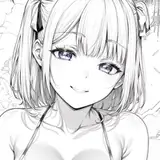
Roll (Adult version )
Roll had grown alongside Mega Man, sharing battles and silences. Now, as a woman, her gaze reflected the strength of someone who had witnessed too many neon-stained dawns. She was no longer just the sweet companion of the past: her presence commanded respect and stirred new emotions. Every gesture carried a magnetism that transcended friendship, an energy that spoke of maturity, of restrained attraction, and of a bond that had evolved over time. Mega Man understood: Roll was not only his ally, but a symbol of what it means to grow together, transforming innocence into profound complicity.
DoA Style Ready Pose: In XPS format with all bones renamed.
MMD Ready Dance Pose: Prepped for MMD dancing with hair physics! (Optional Clothes in other morphs, including Blue Dress). Some materials ready for Autoluminous
Blender 3.6.9 LTS: Included in T pose!
Optional Parts: In XPS, use Ctrl + A .(Shapekeys converted to Optional Faces). A lot of optional textures. drag the texture folder "tex -- blush" over an XPS window or replace the face texture in the "tex" folder (keep a backup) In XPS don't set the shadow depth more than 10 or you will see ugly darker parts on her face. Both optional faces (converted shapekeys) and bones can be used for multiple expressions.
Optional Parts in MMD: The material morphs are located in the "Other" group. "Body Switch" allows you to toggle between two body types—the default version with clothes, and the exposed clothed version or nude version. Accesories are compatible with both bodies. Cl.Sets (Clothes Sets) habe been implemented for some costume combinations.
To hide all the default clothes at once, use "Clothes All H"
To hide only specific parts of the default clothes, use individual morphs like "Cl.Top H" to hide the Top, for example.
The exposed clothes version can be displayed easily:
First, use "Cl.All H" to hide the default clothes.
Then, apply "Cl.Ex ALL S" to reveal the exposed clothes version in two steps.
If you want to display only certain parts of the exposed clothes, use morphs that include "ex" (exposed) in the name. For example:
Use "cl.ex Top s" to show the exposed Top.
The "h" or "s" at the end of the morph names indicate their function:
"h" means the morph hides the clothing.
"s" means the morph shows the clothing.
Clothes are compatible but for the breast part. But you can use some combinations of exposed with default clothes.
All individual morphs for default clothes are designed to hide their respective items ("h" at the end), while individual morphs for exposed clothes are used to show them ("s" at the end).
Credits: Background by vecteezy.com
Get this great exclusive via the temporary link—active only for one month after release! with possible future runs!
Animanpower
2025-12-20 07:01:28 +0000 UTCFrederick McRealname
2025-12-20 06:52:41 +0000 UTCAnimanpower
2025-12-16 05:20:52 +0000 UTCPrimus_bot
2025-12-15 23:06:17 +0000 UTCAnimanpower
2025-12-06 17:53:31 +0000 UTCSP10
2025-12-06 16:31:22 +0000 UTCAnimanpower
2025-12-04 19:42:17 +0000 UTCAnimanpower
2025-12-04 19:40:48 +0000 UTCAmanda Sev
2025-12-04 19:33:15 +0000 UTCRyanhunter
2025-12-04 19:12:32 +0000 UTC