CreatorsOk
NEXT21
NEXT21

patreon


Jackie Tristan

Changing my Patreon and tier list very soon. More info on that later :)


NEXT UP: Bambietta Basterbine or Kurosaki Ichigo/ and some updates and face reworks

EDIT and POST as you see fit. Unless it is for profit!

------------------------------------------------------------------------------------------------------

HF-PATCH 3.5:

KK-MANAGER v0.14.1:

------------------------------------------------------------------------------------------------------- 
   ------------------------------------------------------------------------------------------------------- 
   -------------------------------------------------------------------------------------------------------

Jackie Tristan

Comments

Ye that's very good. I use the same technique, but with an exported [Detail Mask] as overlay/base sometimes. As the name entails "detail" you get a very good base to work with. I believe it's mostly is how much time you spend with a program that kinda defiens your skill. And not how creative you are :)

thank you for the information. funny thing is: i am actually doing it nearly like that. what i am not doing is using hotkeys (but i guess that speeds the process up a lot) .what i recently discovered is extracting the uv map from the material editor and adding it as an extra layer ontop the texture. that gives one a rough reference where the stuff is. i think my biggest problem is that i am completely lacking in the creativity and artistic department. so i have a huge problem in actually editing the texture itself.

Dirkmann

Good observation and thanks for pointing it out. I'll look into it ASAP! :3 If you are familliar with PaintToolSAI V2, there is very good trick to help you find the "right place". Maybe it works with GIMP aswell? Try this: 1. Put the texture in gimp 2. Save the Texture and then Load the Texture in the game. 3. Keep the "TOP" window in the "CLOTHES" section open in Koikatsu the one that you loaded the Texture into. 4. Add a layer and (draw, place shape, add text etc) on the Texture in GIMP and hit CTRL+S 5. It should quicksave the Texture and immediately load into the game (so then you can do very subtle changes and place things very carefully) NOTE: You have to hit CTRL+S everytime you do a change to the Texture to see it in the game. As I said this works with PaintoolSai (and Photoshop) But maybe you already knew this, either way I hope it helps :)

Hey man! Many thanks! :3333

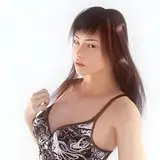
The face and hairsytle is really well done. Question regarding "going home" outfit: in most manga and anime scenes she has a lot more cleavage with the leather jacket. is that even possible with material editor? i was trying to export the texture and then edit it with gimp but just cutting stuff out looks weird of course (even finding the "right place" is hard).

Dirkmann

I love it! I dont mind if Ichigo takes longer to make. You keep up the good work.

The Master Hero

Oh yeah... I didn't think about it hahah

And with that, you've pretty much completed the full roster of sexy chocolate Bleach girls. Good stuff, coach 👏

TropicPanda


More Models and Creators