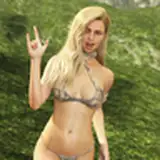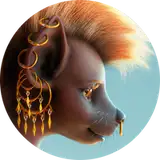
The thing is rendered! :D I am about to begin processing it, but I'm not sure how well I can document it, because it's a pretty long and messy process. Let's start with looking at all the render elements. Also it took exactly 1h, 07m, 49s to render. Not bad at all! Also note: the elements below were processed to be readable. If I showed them the way they will be used, some of them would not be very visible.

This is everything I told the renderer to separate into channels so that I can export it after rendering. Sometimes it turns out I don't actually need some of them (specifically two, or rarely three), but it's better to be safe than sorry.
Here is an explanation of what each of these elements is:
So that's it for the elements. Now let's get to actual work!
The first thing I will do is preprocessing. Which means taking all the elements and making them useful for the image. This is just boring exposure/gamma control for most of them, but one is pretty damn special. The 32 bit beauty pass. I use a program called Photomatix to process that one image into three very important elements. Here they are:

The first one will improve the colors and diminish the contrast. The second one will restore lost contrast and emphasize the details. The last one will be used to make bloom (a.k.a. glare).
So once the other things are preprocessed, we've expanded this:

Into this:

12 files became 21 files. :^) Of course not all of them will be used in actual processing.
Alright, so let's do some basic processing on the image now. We're starting off with this:

And initial processing gave us this:

The colors they are poppin. This is only using the three images generated from that one 32 bit beauty pass. I am super proud of my technique for making bloom btw. It's the bloom pass duplicated three times and blurred 4x wider than the previous one via gaussian blur. They're all smart objects so that I can modify the blur width anytime I want. I'm also setting them to screen blending mode. The other layers are usually experimented upon - their blend modes and opacities often vary between pieces. But yeah, let's keep adding stuff.

Here I've added ambient occlusion and some basic color processing. Also extracted the masks from the multimatte pass, because those are needed from like the beginning. Now let's move onto basic lighting.

Here I've just added the specular element with some masking, and two reflection elements in different exposures. One is applied somewhat evenly, and the other is very strictly controlled with a mask.
Also I can't remember if I ever mentioned that, but the masks are either used directly as they were extracted from the multimatte, or a combination of extracted masks and painting. Sometimes just painting alone, sometimes extracted masks with altered values. Nothing particularly fancy.
Anyway, gotta finish for today. Will continue on Monday probably because frickin Sundays. ._. Next up: more advanced color processing and more lighting! Also fixes! And whatever other things I forgoat about! I also think the next post will be the last WIP post for this piece! :D
Enjoy somehow! :^D
tchaikovsky2
2017-10-02 13:44:55 +0000 UTCtchaikovsky2
2017-10-02 13:42:17 +0000 UTCRandochi
2017-10-02 01:10:51 +0000 UTCDiego P
2017-09-30 21:54:15 +0000 UTC