We’re actually creeping up on a month and a week now, but that’s still worth celebrating! 🎉
First off, I owe you an apology for going quiet these past couple of days. Thank you for your patience, and now, I return with some exciting news…
If you’ve been around since the early days (which, in fairness, is only about a month ago 😅), you might remember me mentioning in the first weekly report that I planned to upgrade my upscaling model. Well, that plan has finally taken shape.
From the very beginning, the biggest “flaw” in my work (at least in my own eyes) has been the upscaling. You’ve probably noticed it too: fine details, especially in faces (which matter a lot to me), usually get blurred or distorted in ways that don’t meet my standards, especially when the face is not a focus in the scene. Fixing this has been a priority for a while, but I hadn’t had the time (or, honestly, the courage) to dive in properly… until now.
After plenty of long hours tinkering, experimenting, and teaching myself from the ground up, I’m thrilled to share that the first iteration of the upgraded upscaling model is finally here!
Of course, this doesn't mean much without some concrete examples, so let's run through a couple:

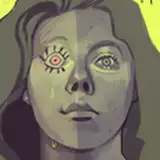
Here's image 119 from the Yor Forger set. Now this image, as long as you're not zooming into the details, is servicable enough. However, if you do:

Scary! Is this even human? The eyes are completely jumbled up, the pupils have bled into the eyelashes, the lips have lost structure, and her irises are straight-up straight lines. This part, is definitively not servicable, and exactly the kind of failure case this new model is designed to fix.
Here’s a side-by-side comparison of how the new upscaler handles the same face:

The difference, as far as I'm concerned, is night and day. There are some further ironing that will have to be done down the road, but the model at where it is would be a disservice to you to not push out. Here's how the images in their entirety compare to each other side-by-side:

In the end, they look quite similar. You might prefer one version’s “vibe” over the other, but the differences are subtle enough that the overall art style remains intact, something I care about a lot as a creator.
What about images where the faces are already serviceable? Let’s look at image 13 from the Mirajane Strauss set.

The difference is subtler here: the face gets a polish rather than a rescue. In cases like this, a decent image only improves, which is exactly the sweet spot I want.
"Technical" stuff
For those curious about the behind-the-scenes: my generation backbone is NovelAI. It’s fantastic for speed, flexibility, and ease of use, but there is no real upscaling model or method in it (beyond its rather bad pixel upscaler).
Most other AI creators you follow run locally run AI models which let them integrate quite complicated upscaling models directly into their generation pipeline. Which creates smoother, more coherent upscales by design. I briefly considered migrating my entire workflow to a local model, but for now that’s a bit of a wonky overreach. Instead, my current workflow combines the practicality of NovelAI with the customizability of local systems like ComfyUI.
The current upscaling process ran on ComfyUI is quite simple in its current stage, it first runs the image through a simplified tile upscaler, then runs regional detailers especially in the face to finish the image.
Now, there are more advanced workflows that yield even higher fidelity, but they’re simply not feasible for me right now. Some of the methods I tested would literally take entire days per set to process on my hardware. Until I can upgrade my PC, those are off the table.
Even with this streamlined pipeline, though, the process is much slower than before. That’s already thrown off my content schedule. At the moment, fully upscaling a single set can eat up most of a day. Which means my planned shift to posting 3 posts every 2 days is most probably shelved until I can invest in a hardware upgrade. Set sizes will also need to be managed carefully: doubling from 200 to 400 images now translates to hours of more processing time.
That said, my priority hasn’t changed: I want to deliver the highest quality content I can, even if it means working more for you guys.
This one doesn’t need a huge explanation: I’ve built a simple process that automatically adjusts color values across full sets which will hopefully bring more color to scenes which were lost when I first upgraded the model. It’s a small tweak, but one that makes the final images feel livelier and closer to what I originally envisioned.
That about sums up this round of model updates. I’ll resist the urge to pile on too many extra details and comparisons here; otherwise I’ll just keep delaying the already overdue sets I owe you all :P
Before I wrap up, I really want to take a moment to say thank you. We’re just about to cross our first major milestone of a 100 paid members! Reaching that number within our very first month is something I couldn’t have imagined when I started, and it means the world to me.
I don’t want to overhype things, but it really does feel like we’re off to a strong start. Your support has given me the room to keep experimenting, improving, and pushing this project forward. Every time someone sticks around, leaves feedback, or just checks out the work, it makes the effort worthwhile.
Thanks for being here and backing the project. Let’s see how far we can take it from here! :D
Cane Ergo
2025-09-28 15:08:50 +0000 UTCono manosuke
2025-09-26 14:45:35 +0000 UTCzol2002
2025-09-26 12:31:19 +0000 UTC