Patches | Ferret Furry | FREE IN SERVER
Added 2024-04-23 12:14:22 +0000 UTC
♥ PC & Quest Unity Files + Substance Painter Files ♥
♥ FREE IN SERVER PLEASE DONT BUY ♥
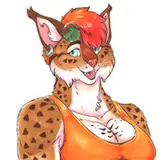
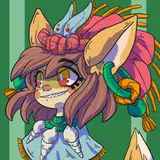
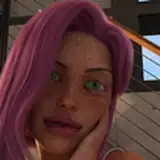
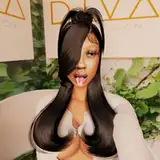
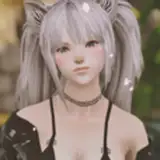
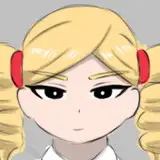
Meet Patches! She was something that I was playing around with for a while. I hope you enjoy her! This is also my way of saying thank you for everything an supporting me! I wouldn't be where I am without you guys ♥
Join the server to get the code for her! Join the community and share your edits, photos and more! Upload help also available in discord. Also if there are any issues please reach out here so I can fix them ASAP! ♥
Join The Discord
She is also a public avatar available in my world HERE! That way you can wear her without going through the trouble of uploading her! ♥

- Tops: Hoodie (Black and White), Sweater (Black, White, RGB), Tshirt, Bodysuit(Black, White, RGB)
- Bottoms: Leggings, Shorts, Skirt (Black, White, RGB), Panties
- Accessories: Beanie(Only compatible with braids or bald), Harness(Black, White, RGB), Pasties(Black, White, RGB), Face Piercings, Rings, Warmers (Black White)
- Body: 4 Hair Styles (Bald, Short Hair, Bun, Braids), Boob Size, Tail, Ear Fluff, Face Fluff, Whiskers
- Customization: Hair Emission and Hue, Body Emission and Hue, Eye RGB Radial, Nail RGB Radial, Bean/Eyeliner RGB Radial, Glitter Radial
- Extras: Gogo Loco , Ferret Follower, Boob Squish, Nose Boops, Toe Wiggles, Tail Sway
Quest has No RGB Radial Toggles and no sweater sorry :(

- PC: Start a new project from the VRC Creator Companion using 2022.3.6f1 Avatars, if you don't use this, it will break the project.
- Import Poiyomi Toon Shaders using the (Repository Here)
- Click "Add to VCC"
- When prompted, click "I Understand, Add Repository"
- Add Poiyomi Toon Shader to your project by clicking the + button
- Import Patches' PC Avatar Package into the Unity Project.
- Log into the VRC SDK and select which version you want to upload and select "Build & Publish"
- QUEST: Start a new project from the VRC Creator Companion using 2022.3.6f1 Avatars, if you don't use this, it will break the project.
- After the project opens, switch the build to Android by going to File > Build Settings > Android > Build (You can also do this by logging into the VRC SDK and changing your selected platform to Android)
- Import Patches' Quest Avatar Package into the Unity Project
- Go to the VRC SDK and into "Content Manager". Here you will find the PC version you uploaded and this is where you will copy ID.
- Paste the ID into the matching quest version and upload through the SDK by selecting "Build & Publish"
If you have any issues uploading please reach out in my discord!

This avatar is for PERSONAL USE ONLY. No public uploads or sharing the file, she is free. If someone wants her package please direct them to this page! ♥
My full TOS is available on my website.
READ MY TOS HERE
Photos: OrangeHorizonz
Body: Zinpia, Poodle00 | Emissions (Heavy edit by me): Gelw0 | Textures: Poodle00, Mooshi | Hair: Aidenfur, Nessy | Outfits: Zinpia, Saikura, Poodle00 | Extras: Gogo Loco, Fake Index Gestures
If any credits were missed please let me know so I can fix it!
Thank you so much for getting her! It means the world to me, I hope you enjoy her as much as I do. If you verify her in the discord you get MORE FREE STUFF ♥
♥ I would appreciate it very much if you could rate her! It gives me motivation to keep making more for you all! ♥
If you edit her please share photos in my discord! I'd LOVE to see them! As always, if there are any issues, please reach out so I can fix them ASAP.