Password has been sent by Email
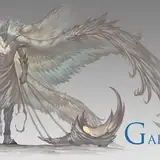
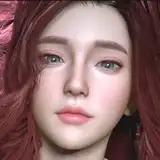
So here is the winner of the last poll! Aglaea and with a fully rigged face!!! She's the last of the Three Muses, forever trapped in the Memory Zone. Her sisters are gone, their songs silenced. Her story is a tragedy—she now uses the memories of others to recreate a hollow echo of the family and harmony she lost.
Your support lets me dive deep into characters with stories like this. Hope you love her.
DoA Style Ready Pose: In XPS format with all bones renamed.
MMD Ready Dance Pose: Prepped for MMD dancing with hair physics! (Optional Clothes in other morphs, including Blue Dress). Some materials ready for Autoluminous
FBX and Blender 3.6.9 LTS: Included in T pose!
Optional Parts: In XPS, use Ctrl + A .(Shapekeys converted to Optional Faces). A lot of optional textures. drag the texture folder "tex -- blush" over an XPS window or replace the face texture in the "tex" folder (keep a backup) In XPS don't set the shadow depth more than 10 or you will see ugly darker parts on her face. Both optional faces (converted shapekeys) and bones can be used for multiple expressions.
Optional Parts in MMD: The material morphs are located in the "Other" group. "Body Switch" allows you to toggle between two body types—the default version with clothes, and the exposed clothed version or nude version. Accesories are compatible with both bodies. Cl.Sets (Clothes Sets) habe been implemented for some costume combinations.
To hide all the default clothes at once, use "Clothes All H"
To hide only specific parts of the default clothes, use individual morphs like "Cl.Top H" to hide the Top, for example.
The exposed clothes version can be displayed easily:
First, use "Cl.All H" to hide the default clothes.
Then, apply "Cl.Ex ALL S" to reveal the exposed clothes version in two steps.
If you want to display only certain parts of the exposed clothes, use morphs that include "ex" (exposed) in the name. For example:
Use "cl.ex Top s" to show the exposed Top.
The "h" or "s" at the end of the morph names indicate their function:
"h" means the morph hides the clothing.
"s" means the morph shows the clothing.
Clothes are compatible but for the breast part. But you can use some combinations of exposed with default clothes.
All individual morphs for default clothes are designed to hide their respective items ("h" at the end), while individual morphs for exposed clothes are used to show them ("s" at the end).
Credits: Background by vecteezy.com
Animanpower
2025-11-13 09:09:42 +0000 UTCRyanhunter
2025-11-12 22:21:01 +0000 UTC