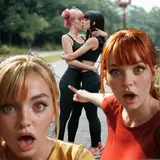
Sprocket saved some of her best bloopers from her night of testing Marc's completed beta.
And now we share them with you!
First, Sprocket learns (again) that ren'py does not like the way she spells things.

Elliot tries to be incognito by hiding behind James and his hair...

Marc...uh...behind you, there's...um....eugh....nevermind...

Spencer and his 'mini-me'....

William....nooooooooooooooo. ;A;

Guys, you have taken your relationship to a really, really weird place...

As a side note, someone once asked why the sprites go bald sometimes. So I'm going to include a little mini lesson on spriting in ren'py.
Ren'py is set up in a way that allows you to select multiple methods for coding your sprites. You can use a single, flat image for sprites. For that, you'd code something like:
image spencer happy = "spencer_happy.png"
And then to show his sprite in the game, you'd just do something like
show spencer happy
s "I'm happy!"
There are several other ways to do sprites though - and one of those is called "live composite." Composite images are images made out of several images and that's exactly what live compositing does in renpy. It allows you to create a base image, then layer other things like faces, clothes and hair onto it real-time in the game.
This is really useful if you do things like change hairstyles or clothes. But it can also be useful even if you aren't switching those things out since it just lets you reduce your file size (instead of having to save a character's full sprite with each expression, you can have a single full body version and then just their face for each expression.
A sprite folder in Changeling looks something like the below image:

Live composited sprites are set up slightly different than single image sprites. First, you have to declare the base image. For instance, something like:
image bren = "bren_full.png"
This line of code tells the game that "bren" refers to that first base image of Brenna in her normal attire.
We'd then declare her full sprite something like this:
image bren smile = LiveComposite(
(550,600),
(0,0), "bren_full.png",
(88,90), "bren_sm.png",
(5, 10), "bren_hair.png"
)
The first line is defining the sprite emotion - in this case, Brenna's smiling face. The second line includes the dimensions of the sprite image. This is important because every other line starts out with the coordinates for that part of the image. If your coordinates get off you'll end up with things like - her face floating off to the site, or other crazy things.
Line three includes her default base image - the bald one. Line four is the new facial expression - her smile. And line five is her hair.
All these images layer together perfectly to give the sprite you see in game.
We'd show Brenna's sprite in the code the same way we'd show any other sprite.
show bren smile
But what happens if we mess this up?
Let's say we forget that Brenna's sprite is defined as "bren" and we say
show brenna smile
In this case, the engine doesn't know what "brenna" is so the game will break or just flash a message that this image isn't found.
However, what happens if we accidentally type the following:
show bren smlie
In this situation, ren'py recognizes "bren" - we clearly defined 'bren' as that bald, base image. But what ren'py does not recognize, is 'smlie.' In this instance, ren'py will show Brenna's bald, base image but with nothing else attached. Because 'show bren' is the only part of the command it understands.
And voilà! Bald sprite! OwO
So now you know why sometimes the characters are bald and creepy!