Hi patrons! Hope you're well! 💖
I got a question about how I add textures to my digital art so here you can download my Photoshop brushes. These are free brushes that I've been collecting for years, a few others were made by myself and a bunch of others that were created by my boyfriend -who is great with this stuff!- here's a link that explains how to install these brushes if you don't know how to do it, it's super easy!
There're A LOT so don't feel overwhelmed. Feel free to check them out and keep the ones you like and get rid of the ones you don't.
Even though there're many many brushes, the one I use the most for inking AND coloring is the first one you'll see, the round hard brush! Yep, the most common one. Then you'll see a lot of brushes like particles and dots I love to use them to add noise and texture. Other brushes I use a lot are the plant ones, there's a huge variety of vegetation.
About textures, there're SO MANY I can't even remember which ones I use, every time I need textures for my work I just take a time to experiment and look for the right brush among all those brushes. But rest assure there're great textured brushes in this set :P
You'll notice there's a bunch of paint splashes, stencils and graffiti stains too, I used them for my comic mostly because the protagonist is an artist and I needed a lot of those lol
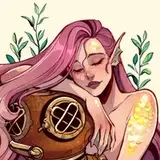
There're many more like compasses, chains, mermaid scales, fishes and more plants.
For Procreate, I can't give you the watercolors brushes I use because I bought them from Max Ulichney and that wouldn't be okay. But if we're talking about the brushes that come with the program, you probably already know I use the Dry Ink brush for almost everything.
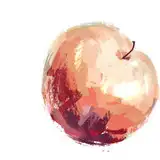
I'm also attaching a few jpgs of textures I like to use. I generally set them to multiply or overlay mode on top of my finished drawing but feel free to experiment with other layer modes too. You can use them for Photoshop or Procreate!
Hope this is helpful! Let me know if you have any questions.
Take care,
Gret