I feel the need to put this down in writing: the code I wrote today was not good code. I wrote in my last update that I was just about ready to abandon the shader based approach to animation, but that I had one Hail Mary left to try out. Now I feel like Frankenstein, standing over his monster as he twitches in unholy life. It's alive, and it works!
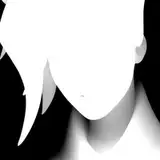
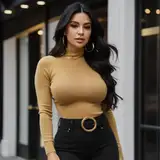
First, a refresher on what I was trying to do. Ren'py removes a great deal of control over the images shown on the screen from the programmer in exchange for highly streamlined image loading and prediction. There are a number of 2D mage animation techniques I wanted to try out, but all of them required pixel level access to images which Ren'py did not allow. Luckily for me other people have grappled with this problem before, and there exists a project to provide full openGL shader support inside of Ren'py. With a little bit of cleverness I could use this support to add things like breast bounce and minor character movement. A very quick demo of breast bounce is shown in the gif above, complete with strange clipping due to my hasty work putting together the weight image that decides what should bounce.
So the code for openGL support exists already. Perfect, I'll just grab that and use it. Unfortunately the project was very much an experiment in and of itself and the last update relevant to my work was put up two years ago. This ended up meaning the shader support only worked for a single Ren'py displayable, in fact the most basic on there is - a string that loads a file as an image. That posed a problem for me, because Lab Rats 2 characters are drawn as composites of a bunch of individual images. The first time I experimented with shader based drawing I tried having each image create it's own shader displayable, but it resulted in a heavy performance drop that I decided was not worth it.
I tried a bunch of different approaches, getting increasingly more hack-y, to hand the shader displayable data it would understand. The final result might be one of the silliest pieces of code I've written that actually does the job. First, I have Ren'py compile the character image as normal. This allows me to still make use of all the image correction code I wrote for v0.9 that fixes transparency, whiteness, and so on. Next, I have Ren'py take that compiled image and produce the pygame surface for it. You can think of the pygame surface like a psudo-image, it contains all of the pixel information for a particular thing that could be drawn to the screen. In theory it would hold enough information for the shader displayable, but the creators never got around to adding support for handing a surface directly and adding it myself is outside of the scope of what I'm working on. So here's the trick: I take that surface and save it as a .png, then hand the name of that .png image to the shader displayable. In the end the shader displayable gets the type of file it was expecting and I get full support for openGL shaders! Because all of the small images were compiled into a single image there is no major hit to performace as well. Life is good!
For now this rendering approach is still experimental and will not be used in the game for a couple of update cycles. Initial testing suggests that Ren'py on Android also lacks the required libraries to implement openGL shaders, so it is likely that they will be stuck with static images (or very basic stuff that is possible inside of Ren'py). I'm planning on using my next prototyping week to expand on this work, most likely by setting up Daz to auto generate weight maps for a girls breast, ass, and hair so that my shaders can refer to the proper areas and animate them.
james steele
2018-09-26 14:02:32 +0000 UTCwaffel
2018-09-26 10:20:47 +0000 UTCretchedegg
2018-09-26 07:56:28 +0000 UTC