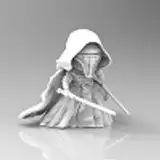
This is a very good image2video model that works within ComfyUI. It's limited to 720x480 but the quality in that resolution is very good and it understands prompts.
Video guide here https://youtu.be/--sbejiJ858
This should work on GPU 6gb minimum, but will be slow. My 4090 renders in about 5 minutes without optimizations. If you want speed, go for the 48gb vram machine from my sponsor partners at https://thinkdiffusion.com
Download workflow from bottom of this post, drag & drop into Comfy
Go into your Manager and Install Missing Custom Nodes.
After you've selected the missing nodes and installed, press restart and then refresh browser
Download a text encoder if you don't already have one installed. Go into the Model Manager
Search for fp8_e4 and install Google's fp8_e4m3fn (if you already have this previously, select it in the Load Clip node

The models will be autodownloaded, just make sure you select the latest version. As of writing this guide, it's CogVideoX-5b, we're using the i2v (image2video) version
OPTIONAL: When 2b I2V gets released, you can select that for lower vram usage (and less quality). But you need I2V
Load an image (for best results, use 720x480px size or aspect ratio 3:2)
Type your prompt

Press Queue to start and the required files and models will be downloaded automatically.
 Voila, after the files have downloaded, your image2video generation should be ready!


Lucio Casellato
2024-11-15 19:59:55 +0000 UTCJeremy Sanderson
2024-11-14 20:03:00 +0000 UTCTaylor Moore
2024-10-17 12:14:49 +0000 UTCSam Gómez Visual
2024-09-28 19:47:22 +0000 UTCWeird_With_A_Beard
2024-09-21 01:31:05 +0000 UTC