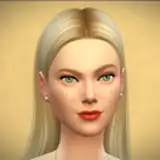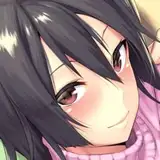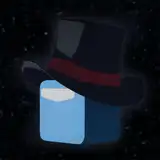
Updated version of the Dynamic Loading Screen mod.
Compiled based on the game version 1.112.519.
For earlier game versions, use Dynamic Loading Screen - 1.7.

What's new in the updated version:
- Added several transition styles between backgrounds.
- New customizable options: transition time, transition entrance and exit styles.
- And as always: improved algoritm, performance, fixed bugs.
General information:
Dynamic Loading Screen (DLS) is a mod that reconfigures the loading screen to your liking, and replaces the default "blue screen" with your backgrounds or backgrounds from ready-made packs.
The mod doesn't require any third party libraries or script files. Everything is embedded into a single .package file, backgrounds are provided separately.
Dynamic Loading Screen mod conflicts with other mods that replace loading screens!
Standalone mod features:
- Multiple backgrounds. You can install from 1 to all available backgrounds from the mod, or create your own according to the guide.
- Randomization. The mod plays backgrounds in random order and randomizes their horizontal flip.
- Backgrounds switching. You can interact with backgrounds on a mouse click:
Left edge of the screen - previous background.
Right edge - previous background.
Center - transition pause.
- Backgrounds zoom animation. Backgrounds are animated by zooming in and out.
- Adjustable scale, positions, colors of loading screen elements. You can adjust the scale, positions and colors of the plumbob or tips in the mod settings. Also you can adjust the background color if there are no backgrounds installed.
All major features of the mod are available to customize or toggle.
A short guide about it - DLS - Mod Configuration Guide.
Background packs and previews:
AI.FEMALE.REAL.NSFW - preview
AI.FEMALE.REAL.SFW - preview
AI.FEMALE.ANIME.NSFW - preview
AI.FEMALE.EVENT - NSFW previews, SFW previews
AI.FEMALE.4K.NSFW - preview
AI.FEMALE.4K.SFW - preview
AI.FEMALE.3D.NSFW - preview
PLAYBOY - preview
or in Discord channel.
Installation:
- Move NISANE.DynamicLoadingScreen.CORE.Public.package from .zip to Documents\The Sims 4\Mods folder.
- Select backgrounds you like and move the .package files from .zip to Documents\The Sims 4\Mods folder.
Along with the backgrounds, install the PackDefinition file, which is necessary to initialize the installed pack.
If you have any problems with the mod (visual errors, UI_Exception reports), please let me know about it.
I'm also always open to ideas and suggestions to improve the mod.