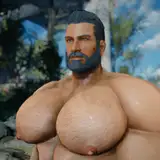
This guide provides instructions on how to install my Fallout 76 skimpy and revealing outfits mods.
If you are about to install default (non-skimpy) versions, please follow this guide instead.
Reminder: You can check all of my Fallout 76 mods here.
Enhanced Vanilla Bodies 76 by Mikado2116b: Hard requirement.
If you want exactly the same body (and genital) as shown in screenshots on each mod page, you can jump directly to the "Installation" section, skipping the "BodySlide" section below.
If you want to customize the body, you need Fallout 4 basegame + BodySlide and Outfit Studio, and then continue with the "BodySlide" section below.
If any step or instruction is unclear, please don’t hesitate to let me know!
1. Install BodySlide and Outfit Studio via Mod Organizer 2 (MO2), and set "BodySlide" as executable if you haven't.
2. Download the BodySlide file from my mod pages, and install it as a regular Fallout 4 mod via MO2. Activate it on the left panel of MO2. Remember to deactivate it when you play fallout 4 via MO2.
3. Open BodySlide via MO2. If this is your first time using BodySlide, click "Settings" on the bottom right and set "Output Path" to a location as you prefer.
4. Type "AM76" in "Filter Outfits" search bar.

5. If this is your first time, proceed with this step. If you already have created your own bodyslide preset(s) for Fallout 76, jump to the step 7. .
Click "Preview" at the center bottom of BodySlide, and adjust "Nuclear BodyBuilder" and "Nuka Bull" as your prefer. Some outfits might also come with bulge / anus / penis / balls sliders so you might need to create two bodyslide presets (one for non-revealing and one for penis-revealing). You can also create a single bodyslide preset which contains all sliders by modifying your .xml preset file manually.
Ignore the wrong body textures / outfit textures showing in "Preview".

6. Click "Save As" and give your own body preset a name.
You can save it anywhere but I suggest saving it to the default location, so that you can find it in the "overwrite" folder of MO2.

7. Open the dropdown menu of "Preset" and select your preset just created. If it doesn't appear, restart BodySlide.

8. Click "Batch Build" on the bottom left, with "Build Morphs" unchecked.

9. Then it will prompt a new window showing all outfits to be built. You can select several of them of simply right click and select all. I suggest selecting all of them everytime you build.

10. Find the output "meshes" folder, and continue with the 2. step of the "Installation" section.
There might be other methods for installation but I only provide support to my method. If any step or instruction is unclear, please don’t hesitate to let me know!
1. Download the file ending with "Meshes" from each mod page, and unzip it anywhere. You should see a "meshes" folder.
2. Navigate to the folder "SteamLibrary\steamapps\common\Fallout76\Data". The location might vary but anyway you should open the "Data" folder of Fallout 76.
3-1. If you have skipped the "BodySlide" section, copy the "meshes" folder from step 1. into the "Data" folder. And then go to the step 3-3.
3-2. If you have created your own preset in the "BodySlide" section, then copy the output "meshes" folder that you have generated via BodySlide into the "Data" folder. In the end, there should be a "meshes" folder inside the "Data" folder. Then proceed with the step 3-3.
3-3. If there are also "materials" or "textures" download files available on the mod page, also download and unzip them. And copy those two folders "materials" and "textures" into the "Data" folder. If there are not, ignore this step.
4. Download "EVB 76 - AIO (Loose files)" this file from Enhanced Vanilla Bodies 76. Unzip it anywhere. Open it and navigate to "Nude\NudeMale\Data\", and you should see "textures" and "meshes" these two folders.
5. Navigate again to the folder "SteamLibrary\steamapps\common\Fallout76\Data". Copy the "textures" and "meshes" these two folders from step 4. into the "Data" folder of Fallout 76.
6. Now navigate to "Documents\MyGames\Fallout 76" this folder, and open "Falout76Custom.ini". The location might vary.

7. Add ", BakaFile - Textures.ba2, BakaFile - Main.ba2" directly after the last ".ba2" of the section "sResourceArchive2List".
8. Download Baka File Tool and unzip it anywhere you like.
9. Open Baka File Tool and set game to Fallout 76 with correct game path.
10. Go to "Settings" section of Baka File Tool and make sure "Compress Archives" is checked.

11. Back to the "Tool" section of Baka File Tool and click "Refresh Data Folder" and then click ""Create Archive".

12. Test in game and enjoy!