Hi!
Here's one nice improvement to the production effiency and item icons.
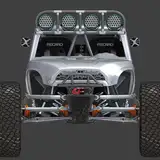
I just implemented a thing called Item Renderer. This custom development tool takes high-quality item renders/images straight from the game engine. With this tool I can basically batch render items and provide consistent icons to the inventory system.
This tool is actually big deal because there will be hundreds of items in the game and without this kind of tool it would be pretty painful process to get those item icons to the UI.
Old workflow
1. Open Blender
2. Import model
3. Assign material / textures
4. Render image
5. Export image
6. Open Photoshop
7. Import image
8. Set correct crop / resolution
9. Export image
10. Open Unity
11. Import Image
12. Set import settings
13. Set item icon
New workflow
1. Select item
2. Press Render
3. Set item icon
The extra gain from this workflow is also "futureproofing" the lighting and style of the icons, because I'm planning to add dynamic icons for weapon modding in the future, so now the rendered images are consistent with in-game shaders so they will blend together nicely when modding items (combining different icons together)
I will also make these icons available to public with the upcoming Item Wiki.
- Antti (Developer)
Gordon Typer
2023-04-02 17:44:32 +0000 UTCSavRoyale
2023-03-16 20:18:27 +0000 UTCTenebris Infinite
2023-03-16 19:25:36 +0000 UTC